Practice IFR & VOR navigation
directly in your browser
IFR Trainer is a free, web-based simulator for practicing VOR navigation, instrument scan, and basic autopilot use. It focuses on understanding, not entertainment — no installation required.
Designed for IFR fundamentals
- Real VOR stations and frequencies
- Five core instruments + VOR CDI
- Dual NAV radios (NAV1 / NAV2)
- 2D training map + immersive 3D view
- HDG / NAV / SPD / ALT / V/S autopilot
What you can train
IFR Trainer mirrors real-world mental models: tune, set course, intercept, track — with immediate visual feedback.
Instrument scan
Practice airspeed, attitude, heading, and altitude control while interpreting CDI deflection and TO/FROM logic.
VOR navigation
Load real VOR stations into NAV1 or NAV2, set OBS courses, and observe radial tracking and station passage.
Autopilot fundamentals
Understand how HDG, NAV, SPD, ALT, and vertical speed modes interact — including mode exclusivity and targets.
Spatial awareness
Use the 2D map for procedural clarity and the 3D view for intuitive understanding of position and movement.
Environmental effects
Train with adjustable wind direction and speed and see the impact on intercept angles and tracking.
Efficient repetition
Pause, reposition via map click, and accelerate time to repeat scenarios and build confidence faster.
Browser-based IFR training for VOR navigation
IFR Trainer is designed for pilots, student pilots, and aviation enthusiasts who want to practice instrument flight rules (IFR) procedures with a strong focus on VOR navigation. The simulator runs entirely in the browser and requires no installation, making it ideal for quick practice sessions, concept reinforcement, and procedural training.
Unlike entertainment-focused flight simulators, this IFR trainer concentrates on the mental models behind instrument flying: understanding radial orientation, CDI behavior, TO/FROM indication, intercept angles, and the relationship between aircraft attitude, heading, wind, and navigation signals.
With real VOR stations and frequencies, dual NAV radios, and a realistic five-pack instrument layout, IFR Trainer allows users to rehearse classic IFR tasks such as tracking a radial, flying inbound and outbound courses, recognizing station passage, and observing how autopilot modes like HDG, NAV, ALT, SPD, and vertical speed interact.
The combination of a 2D training map and an optional 3D visualization helps bridge the gap between abstract instrument indications and spatial understanding. This makes the tool especially useful for IFR students preparing for written exams, simulator sessions, or real-world flight training.
IFR Trainer is not intended to replace certified flight instruction. Instead, it serves as a lightweight, accessible environment to practice IFR fundamentals, build intuition, and repeat navigation scenarios efficiently — anytime, anywhere, directly in your browser.
Screenshots
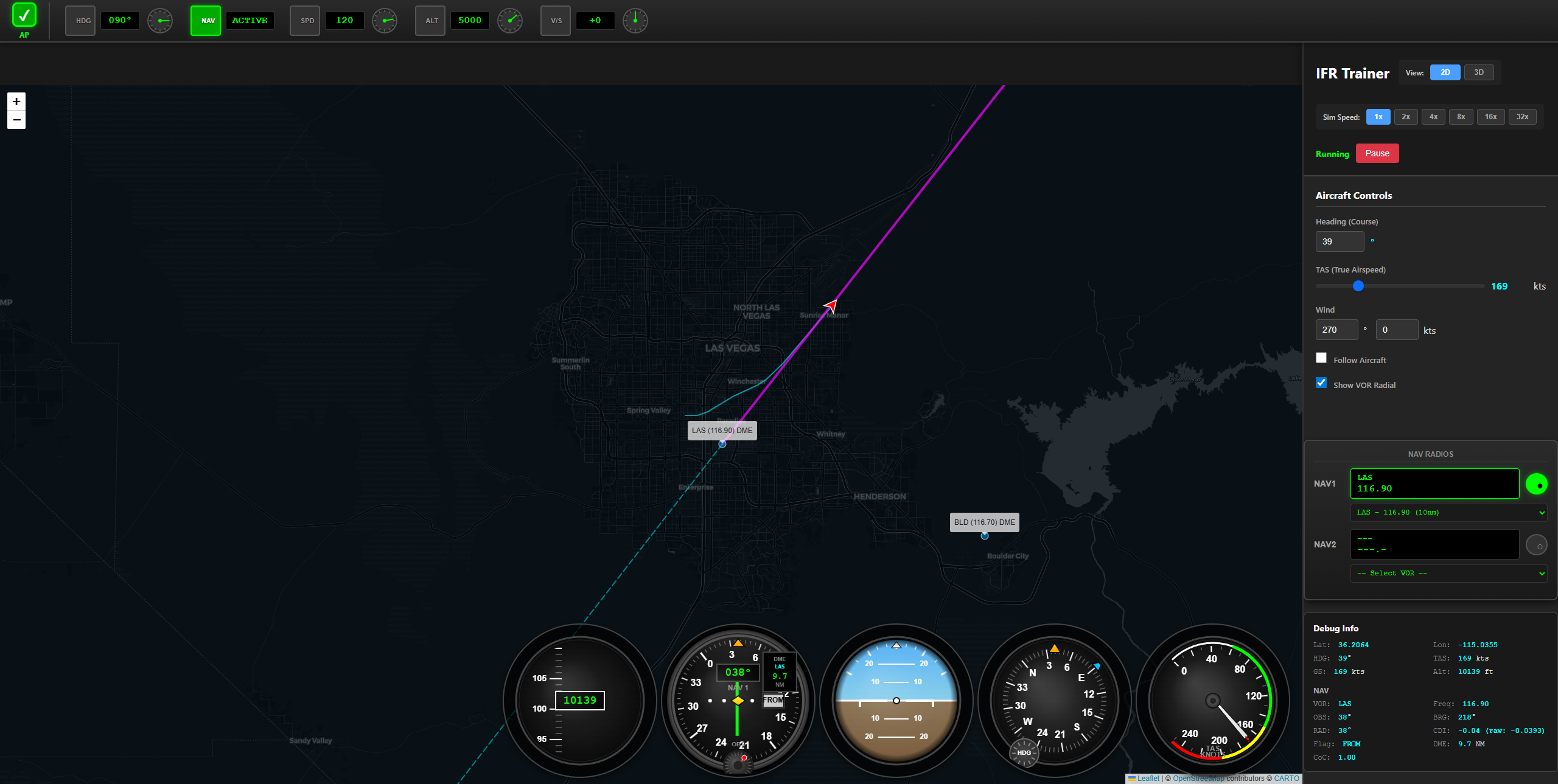
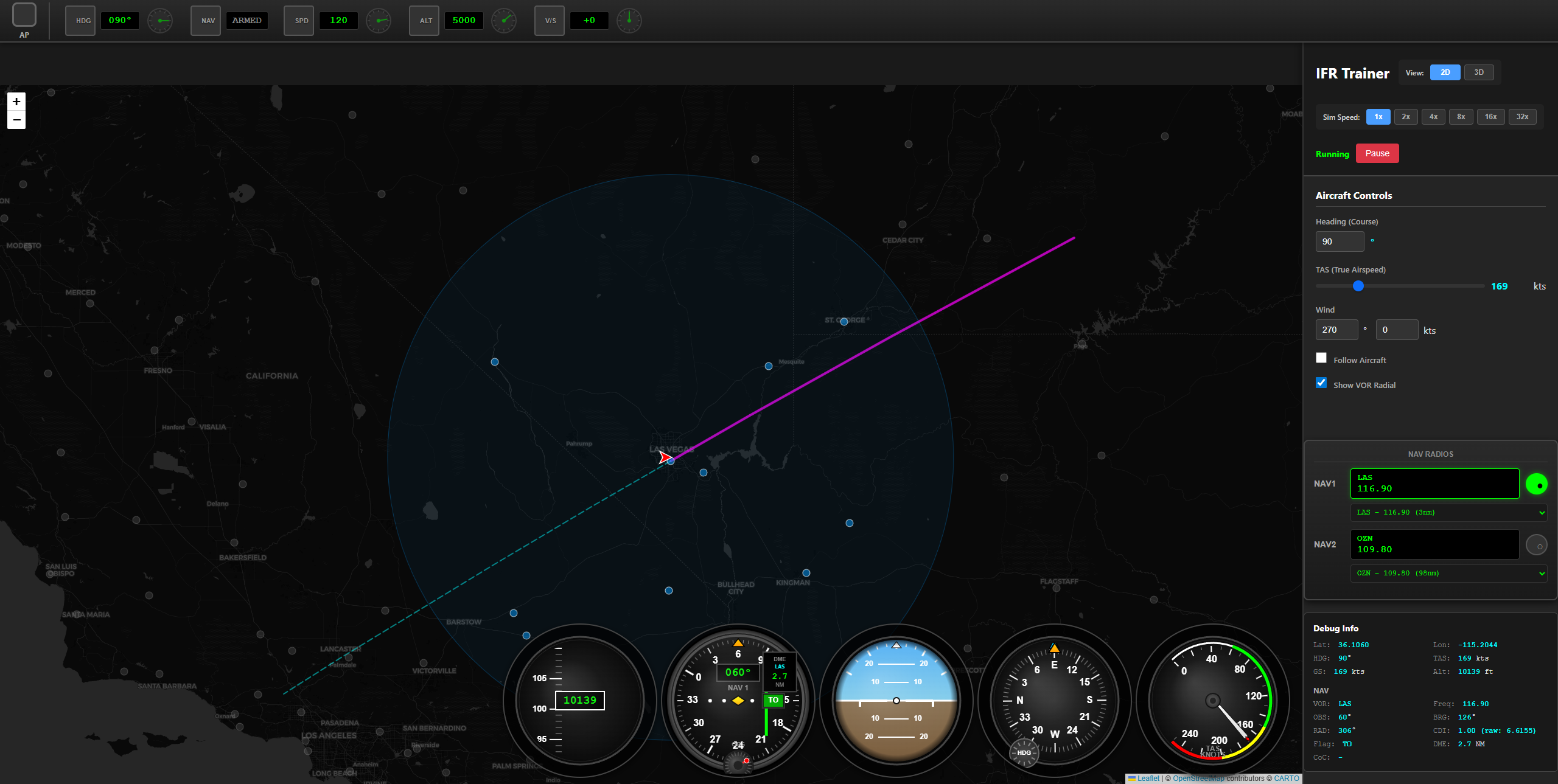
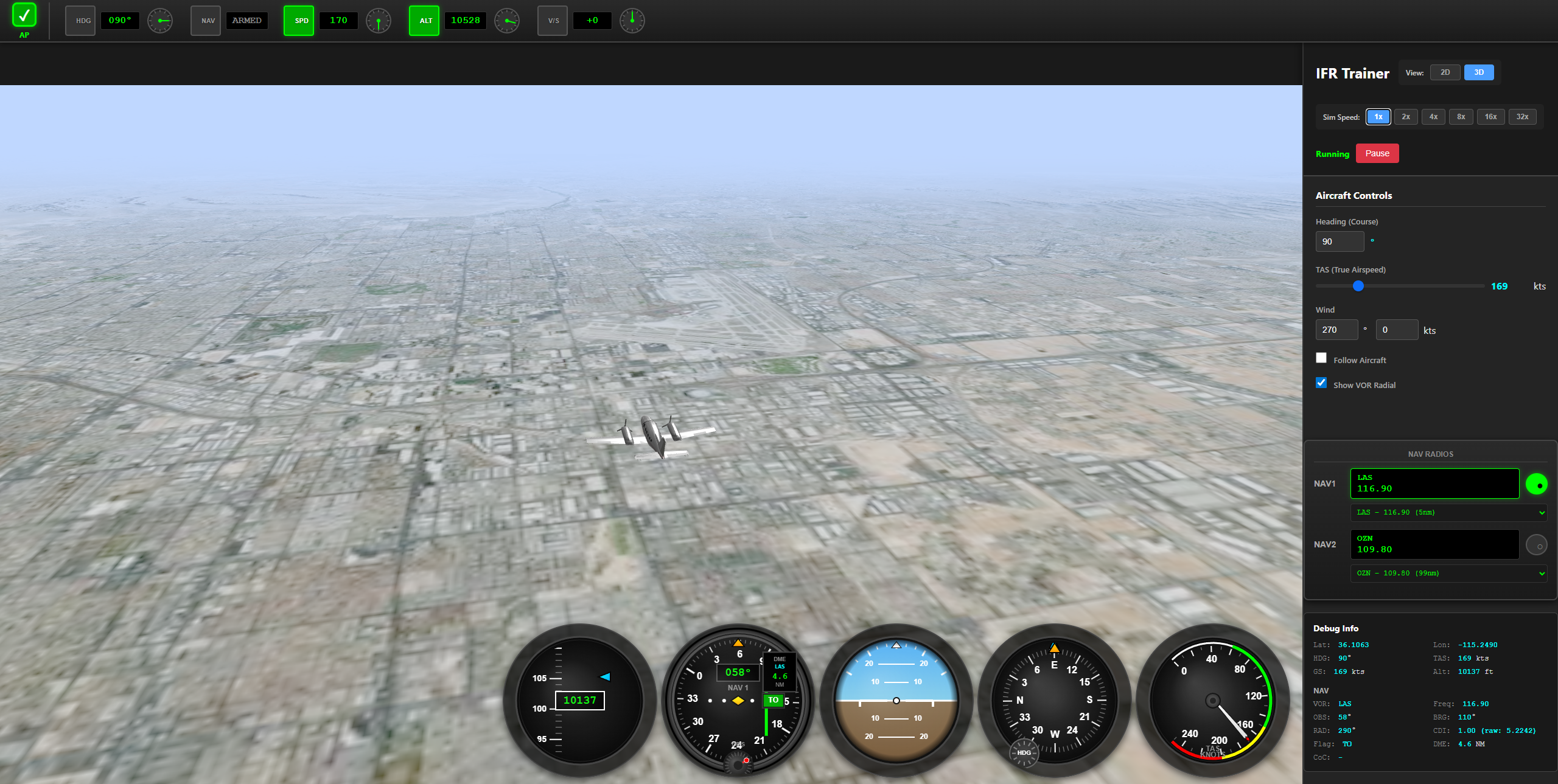
How it works
The workflow is intentionally simple and mirrors real IFR thinking.
Quick Start Guide
Master the controls in minutes and start your IFR training.
🗺️ Map Navigation
- Right-click on map → Teleport aircraft to location
- Click VOR markers → View VOR details
- Mouse wheel → Zoom in/out
- Drag map → Pan around
📻 VOR Navigation
- Click VOR dropdown → Select nearby VORs
- NAV1/NAV2 switch → Choose active receiver
- OBS knob → Set desired course/radial
- CDI needle → Shows deviation from course
✈️ Flight Controls
- Arrow keys → Manual control (pitch/roll)
- +/- keys → Adjust throttle
- Autopilot buttons → HDG, NAV, ALT, SPD, V/S modes
- Sim speed buttons → 1x, 2x, 5x, 10x speed
👁️ View Modes
- 2D button → Top-down training map view
- 3D button → Immersive cockpit perspective
- Both views → Update in real-time
- 3D view → Follow aircraft automatically
💡 Pro Tips
- Use faster sim speeds (5x/10x) for long intercepts
- Practice VOR intercepts at different angles
- Try tracking outbound and inbound radials
- Use NAV mode to see autopilot tracking behavior
- Switch between NAV1 and NAV2 to practice transitions
- Right-click to quickly reposition for new scenarios
- Monitor instruments while using map for validation
- Practice at different altitudes to see range effects
Start IFR practice now
No account. No install. Just open the trainer and fly.